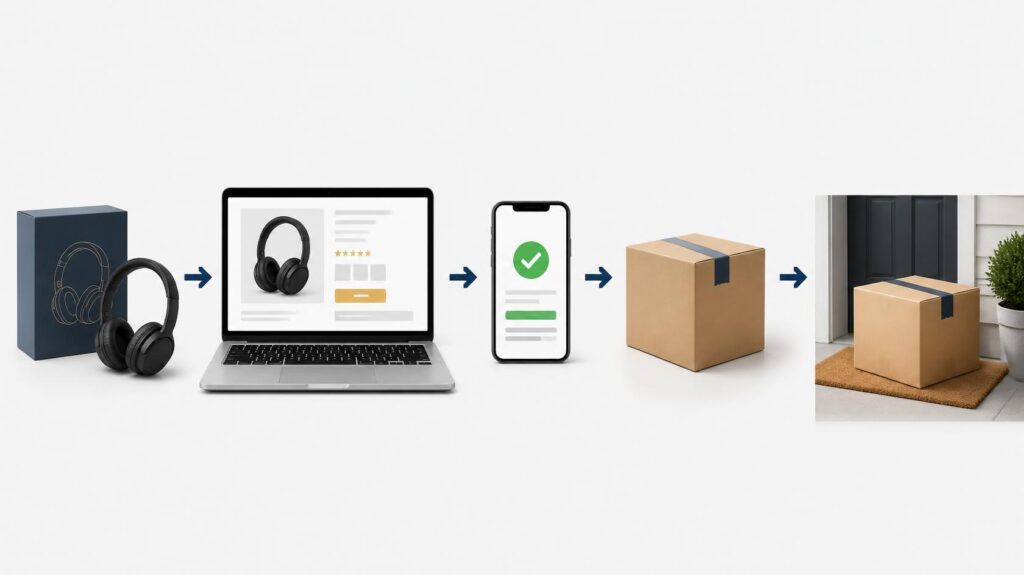
If you’re learning how to sell on Amazon, the appeal is simple: Amazon gives you access to shoppers who are already searching for products to buy. That makes it different from starting your own online store, where you have to build the store and attract the traffic yourself. That makes it different from starting your own online store, where you have to build the store and attract the traffic yourself.
Amazon provides the marketplace, product pages, checkout, customer accounts, order management, and several fulfillment options. But it does not mean you can simply upload a product and wait for sales.
You still need to choose the right product, understand the costs, create a convincing listing, set a workable price, choose how orders will be fulfilled, and make sure customers can find and trust your offer.
This guide takes you through the process from deciding whether Amazon is right for your business to creating your first listing, fulfilling orders, promoting your products, and managing the business after your first sale.
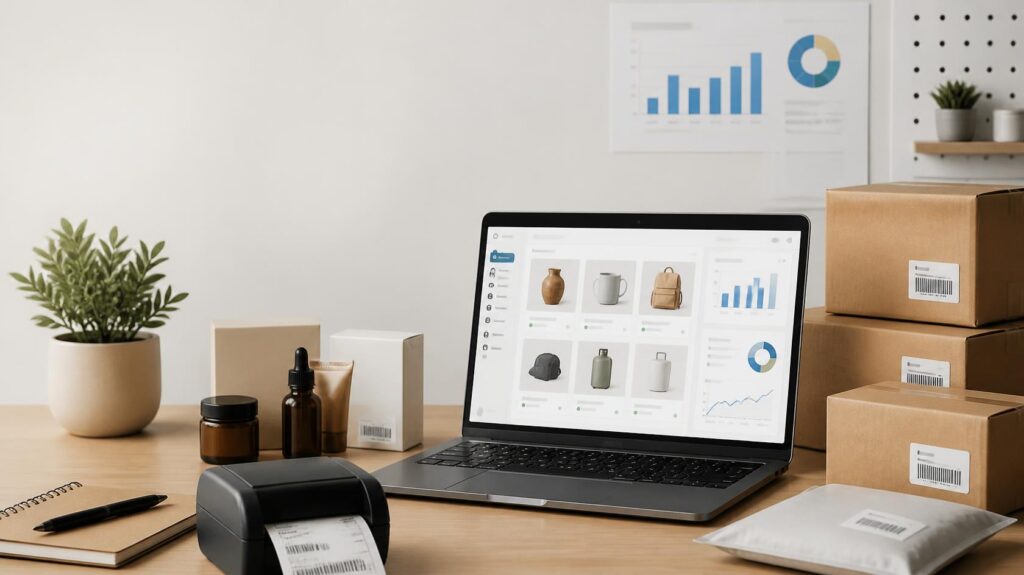
Is Amazon the Right Choice for Your Business?
Amazon can be a strong choice if you want to sell products in an established marketplace where customers are already searching, comparing, and buying.
It can work particularly well if your product has clear demand, you are comfortable competing with other sellers, and you want to use an existing marketplace instead of building your own customer traffic from scratch.
Amazon can also be attractive if you want the option of having Amazon handle much of the storage and fulfillment process through Fulfillment by Amazon.
The trade-off is control. With Amazon, you operate within Amazon’s marketplace and rules. You have less control over the overall shopping experience than you would with your own Shopify store, and your costs can include selling fees, fulfillment, storage, advertising, returns, and other expenses.
Amazon vs. Shopify in Simple Terms
Amazon: You sell inside an established marketplace where shoppers are already looking for products.
Shopify: You build your own online store and are responsible for bringing customers to it.
Neither is automatically better. The right choice depends on how you want to build your business.
You can also use both. A business may sell on Amazon to reach marketplace shoppers while using Shopify to build its own branded online store and customer base.
How Selling on Amazon Works
The basic idea is straightforward.
You create an Amazon seller account, choose a product, create or join the appropriate product listing, set your price, and make the product available for sale.
When a customer finds your product and places an order, the order is fulfilled either by you or through Amazon’s fulfillment service, depending on the method you choose.
You then manage inventory, customer experience, product performance, and the profitability of the business.
In other words:
Choose a product → create the listing → set the price → make it available → fulfill orders → monitor performance → improve
Amazon provides the marketplace and much of the infrastructure. Your job is to build a product offer that customers actually want to buy.
What You Need Before Selling on Amazon
Before opening your seller account, prepare the information and product details you are likely to need.
Amazon’s registration process requires information about your business, seller, billing, store, and products, along with identity verification. The exact requirements can vary depending on your circumstances and marketplace.
Have the following ready where applicable:
- Legal business or individual information
- Contact information
- Bank account information for receiving payments
- A chargeable payment card
- Government-issued identification
- Proof of address if required
- Your intended Amazon store name
- Product information
- Product identifiers where applicable
- Brand or manufacturer information where applicable
Amazon may also require additional verification before your account becomes fully active.
Make sure the information you provide is accurate and that your documents are current and readable.
How to Start Selling on Amazon Step by Step
Step 1: Choose What You Will Sell
Before creating an Amazon listing, decide exactly what product you are going to sell.
This is one of the most important decisions in the process because a good listing cannot rescue a product that has weak demand or poor economics.
Look at the product from the customer’s point of view.
Is there clear demand? Are customers already searching for it? How much competition is there? What are comparable products selling for? Can you make a reasonable profit after all your costs?
You should also check whether the product or category has restrictions or requires approval.
Do not judge a product simply by its selling price. A product that sells for a good amount may leave very little profit after product costs, Amazon fees, fulfillment, shipping, advertising, returns, and other expenses.
Amazon provides a Revenue Calculator that can help you compare estimated costs and revenue for different fulfillment options.
The goal is not to find the product with the highest price.
The goal is to find a product with a realistic opportunity to generate profitable sales.
Step 2: Decide How You Will Source Your Products
Once you know what you want to sell, you need a reliable way to obtain it.
Depending on the business, you might manufacture your own products, work directly with a manufacturer, purchase from a wholesaler, resell products you are authorized to sell, or use another legitimate supply arrangement.
The important point is to understand your costs and your rights before purchasing inventory.
Ask:
- What does each unit cost?
- What is the minimum order quantity?
- How much will shipping cost?
- How long will it take to receive inventory?
- Can the supplier maintain consistent quality?
- Do you have the necessary authorization to sell the product or brand?
- What will the product cost after it reaches you or Amazon?
Do not order a large quantity simply because the supplier offers a lower per-unit price.
First, make sure the product can actually be sold profitably on Amazon.
Step 3: Understand Amazon’s Selling Fees
Before committing to a product, understand how Amazon’s fees affect your margins.
Depending on your situation, costs can include your selling-plan fee, category-based referral fees, fulfillment charges, storage fees, advertising costs, returns, and other services.
The exact cost depends on what you sell and how you operate.
That is why you should calculate the economics of your specific product instead of relying on a general Amazon fee estimate.
A useful starting point is
Product cost + Amazon fees + fulfillment/shipping + storage + advertising + other costs = total selling cost
Then compare that cost with your selling price.
Amazon’s pricing can change, so check its current fee information before making financial decisions.
Amazon Selling Fees and Pricing
Step 4: Create Your Amazon Seller Account
Create your seller account through Amazon’s official registration process.
You will provide information about your business or individual selling status, yourself, billing arrangements, products, store, and identity.
Once registration is complete and your account is approved, you can access Seller Central.
Seller Central is the main management area for your Amazon business. You will use it to manage products, inventory, orders, pricing, payments, account settings, and other operations.
Step 5: Complete Your Seller Central Setup
Once your account is active, review the important settings before you begin selling.
Check your
- Business and contact information
- Payment and deposit information
- Shipping settings
- Return settings
- Tax-related information
- Notification settings
- User permissions if other people will manage the account
You will return to Seller Central regularly, so take some time to understand where the important information is located.
Step 6: Check Whether Your Product Can Be Sold
Not every product can automatically be sold on Amazon.
Some categories, products, brands, or conditions may have restrictions or require approval.
Before purchasing a large amount of inventory, check whether your product is eligible and whether Amazon requires additional information or approval.
This is especially important for regulated, restricted, or brand-sensitive products.
Check eligibility before investing heavily in inventory.
Finding a restriction before buying stock is much better than discovering it after your money is already tied up in products you cannot list.
Step 7: Find or Create Your Product Listing
Amazon works differently from your own Shopify store in an important way.
If the correct product page already exists on Amazon, you may be able to add your offer to that listing rather than creating a completely new page.
If the product is genuinely new to Amazon, you may need to create a new product listing.
Amazon uses product identifiers such as UPC, EAN, and other identifiers where applicable. Some products may qualify for an exemption depending on the circumstances.
Before creating a new listing, search Amazon carefully to determine whether the correct product page already exists.
Do not create a duplicate listing simply because you cannot immediately find the correct product page.
Step 8: Create a Strong Product Listing
Your product listing is one of the most important parts of selling on Amazon.
A customer should quickly understand what the product is, what is included, and why it may be suitable for them.
Your listing may include:
- Product title
- Product images
- Key features
- Product description
- Price
- Product variations
- Specifications
- Brand information
- Relevant search terms
Write for the customer first.
The title should clearly identify the product. The images should accurately show what the customer is buying. The key features should communicate the information that matters most.
Do not turn the listing into a collection of repeated keywords.
A strong Amazon listing is a clear sales page that answers the customer’s questions and makes the buying decision easier.
Step 9: Use High-Quality Product Images
Customers cannot physically inspect your product before ordering, so your images need to provide useful information.
Use clear images that show the product accurately from useful angles.
Additional images can help explain:
- Product size
- Features
- Components
- How the product is used
- What is included
- Important specifications
Your main image should make the product immediately recognizable.
The goal is simple: reduce uncertainty before the customer buys.
Never use images that give customers an inaccurate impression of what they will receive.
Step 10: Set Your Product Price
Pricing on Amazon is not simply about choosing a number that looks competitive.
You need to know how much each sale actually costs you.
Consider the complete cost of getting one product into a customer’s hands, including the product itself, Amazon fees, fulfillment, storage, shipping, advertising, and other relevant expenses.
Then compare that cost with your selling price.
Do not automatically choose the lowest price.
A lower price may help you compete, but it can also leave you with too little margin to operate the business.
The right price is competitive enough for the market while still giving the business a sustainable margin.
Step 11: Choose How You Will Fulfill Orders
You generally have two main approaches.
Fulfillment by Merchant
You keep the inventory and handle fulfillment yourself or through your own fulfillment operation.
You are responsible for getting the product to the customer and managing the operational side of the order.
Fulfillment by Amazon
With Fulfillment by Amazon, commonly called FBA, you send inventory to Amazon’s fulfillment network.
Amazon then handles much of the operational work associated with eligible orders, including storage, picking, packing, shipping, and customer service.
Learn About Fulfillment by Amazon
FBA can simplify fulfillment, particularly as order volume grows, but it comes with additional costs.
Those costs need to be included when calculating your product’s profitability.
Step 12: Send Inventory to Amazon if Using FBA
If you choose FBA, prepare your inventory according to Amazon’s requirements.
The general process is:
Prepare inventory → create the shipment in Seller Central → label and pack products correctly → send inventory to Amazon → Amazon receives and stores the inventory.
The exact preparation and shipping requirements depend on the products you sell.
Read the current requirements before sending inventory. Packaging and labeling rules are not necessarily the same for every product.
Step 13: Make Your Product Available for Sale
Once your listing, price, inventory, and fulfillment arrangement are ready, review the product as if you were a customer.
Check the:
- Product title
- Main image
- Price
- Availability
- Product information
- Delivery information
- Variations
- Seller information
Everything should accurately represent what you are selling.
If something is incorrect, fix it before promoting the product.
Step 14: Promote Your Product
Being listed on Amazon does not guarantee sales.
Amazon gives you access to shoppers, but your product still competes with other products for attention.
Depending on your business, promotion may include Amazon Ads, external marketing, content, strong listing optimization, competitive pricing, and brand-building.
But advertising should not be used as a substitute for a good product and a strong listing.
If the product is poorly presented or the economics do not work, spending more on advertising will not solve the underlying problem.
Step 15: Manage Inventory
Once sales begin, monitor your inventory carefully.
Running out of stock can interrupt sales. Holding too much inventory can tie up your money and may increase storage costs if you use FBA.
Keep an eye on:
- Current inventory
- Sales rate
- Incoming inventory
- Reorder timing
- Inventory costs
- Seasonal changes in demand
The goal is to maintain enough stock to serve customers without unnecessarily tying up capital.
Step 16: Manage Orders and Customer Service
Selling the product is only part of the job.
You also need to make sure customers receive what they ordered and that problems are handled properly.
If you fulfill orders yourself, pay attention to processing times, shipping, tracking, returns, and customer communication.
If you use FBA, Amazon handles many fulfillment and customer-service functions, but you still need to monitor your account, inventory, product performance, and issues that require your attention.
Step 17: Monitor Your Performance
Once sales begin, look beyond total revenue.
Pay attention to the relationship between:
Traffic → product views → purchases → revenue → costs → profit
A product may receive plenty of views but few purchases. That can point to issues with the price, listing, images, reviews, product offer, or competition.
A product may also sell well while generating very little profit because its costs are too high.
The purpose of monitoring performance is to identify these problems and improve the business.
How Much Does It Cost to Sell on Amazon?
There is no single cost that applies to every Amazon seller.
Your total cost depends on factors such as your selling plan, product category, selling price, fulfillment method, inventory, advertising, storage, returns, and other services.
The important thing is to understand the cost structure before you buy inventory.
Instead of relying on a fixed price from an older article, check Amazon’s current fee information and calculate the costs for your specific product.
Because Amazon can change its fees and services, this is one area where current official information matters.
FBA or Fulfilled by Merchant: Which Should You Choose?
There is no universal answer.
FBA may make sense when:
- You want Amazon to handle much of the fulfillment process.
- You want to reduce the day-to-day work of shipping individual orders.
- Your products work well with Amazon’s fulfillment system.
- The numbers remain profitable after fulfillment and storage costs.
“Fulfilled by Merchant” may make sense when
- You already have an efficient fulfillment operation.
- Your products have unusual storage or shipping requirements.
- You want greater control over fulfillment.
- Your costs make self-fulfillment more attractive.
Calculate both options before making the decision.
The cheapest option on paper is not necessarily the best option once you consider your time, shipping, storage, customer service, and operational complexity.
What Happens After Your First Sale?
Your first sale is not the end of the process. It is the beginning of learning what works.
Ask yourself:
Are customers finding the product?
Are they clicking on the listing?
Are they buying after viewing it?
Are they returning it?
Are you making enough profit after all costs?
The answers show you where the business needs attention.
If customers are not clicking, review your main image, title, price, and overall offer.
If customers click but do not buy, examine the listing, product information, price, reviews, and competition.
If customers buy but your profit is too low, review your product costs, Amazon fees, fulfillment, advertising, and pricing.
The objective is not simply to increase sales.
It is to build a business where sales can produce sustainable profit.
How Do Amazon Sellers Get Paid?
Amazon collects payment from the customer and then transfers eligible seller proceeds to the bank account connected to the seller account, subject to Amazon’s payment schedule, account status, reserves, refunds, and other applicable adjustments.
The important point for a new seller is to keep track of sales and actual available funds separately.
Revenue shown in your account is not the same thing as profit. Your product costs, Amazon fees, fulfillment, advertising, refunds, and other expenses still have to be accounted for.
How Long Does It Take to Start Selling on Amazon?
There is no single timeline for every seller.
The process can depend on how quickly your seller account is verified, whether your product requires approval, how quickly you can prepare the listing and inventory, and whether you use FBA or fulfill orders yourself.
A business that already has its product, documentation, images, and inventory prepared can move much faster than someone starting from scratch.
The best approach is to prepare as much as possible before opening the account so that you are not waiting for one part of the process after another.
Amazon Seller Launch Checklist
Before you start selling, make sure you have covered the essentials:
- Seller account registered and verified
- Appropriate selling plan selected
- Product eligibility checked
- Product sourcing arranged
- Product identifiers available where required
- Correct product listing found or created
- Product title and description reviewed
- Product images prepared
- Price calculated using complete costs
- Amazon fees understood
- Fulfillment method selected
- Inventory prepared
- Shipping and returns understood
- Payment information configured
- Product availability checked
- Basic promotion strategy prepared
- Inventory monitoring process in place
Frequently Asked Questions
Can I sell on Amazon without having a registered company?
You do not necessarily need to form an incorporated company simply to begin selling on Amazon. The appropriate registration setup depends on your circumstances and the requirements of the marketplace in which you are selling.
You still need to provide the information and verification Amazon requires.
How much money do I need to start selling on Amazon?
There is no universal starting amount.
Your initial investment depends on the product, inventory, preparation, shipping, fulfillment, advertising, and other costs.
Start by calculating the economics of the specific product rather than choosing an arbitrary budget.
Is Amazon better than Shopify?
Neither is automatically better.
Amazon is attractive when you want access to an established marketplace where shoppers are already searching for products.
Shopify is attractive when you want to build your own branded store and have greater control over the customer experience.
Many businesses use both.
Does Amazon provide customers?
Amazon gives sellers access to shoppers using the marketplace, but your product still has to compete for their attention and purchases.
Your listing, price, product quality, reviews, availability, and other factors can affect performance.
What is FBA?
FBA stands for Fulfillment by Amazon.
You send inventory to Amazon, and Amazon handles much of the storage, packing, shipping, and customer-service process for eligible orders.
Do I have to use FBA?
No.
You can fulfill orders yourself or use Amazon’s fulfillment service, depending on what makes sense for your products and business.
Where do Amazon sellers get their products?
There is no single sourcing method.
Some sellers manufacture their own products, while others work with manufacturers, wholesalers, distributors, or other legitimate suppliers.
The important thing is to know your costs, verify product quality, and make sure you have the right to sell the products and brands you list.
Can I sell on Amazon and Shopify at the same time?
Yes.
A business can use Amazon to reach marketplace shoppers while using Shopify for its own branded store and other sales channels.
Do I need a barcode to sell on Amazon?
Amazon commonly uses product identifiers such as UPC, EAN, and other identifiers where applicable.
Some products may qualify for an exemption, depending on the circumstances.
Check the requirements for your specific product before creating the listing.
Can I sell someone else’s branded product on Amazon?
That depends on the product, brand, category, and your authorization to sell it.
Do not assume that purchasing a product gives you permission to sell it as an authorized seller.
Check Amazon’s requirements and the brand’s policies before investing in inventory.
How do I get reviews on Amazon?
Focus first on selling a legitimate product, creating an accurate listing, and providing a good customer experience.
Use Amazon’s permitted review tools and processes rather than attempting to manipulate reviews.
Final Thoughts
Selling on Amazon can be simpler than building an online store from scratch because Amazon already provides the marketplace, shopping experience, payment infrastructure, and fulfillment options.
But the platform does not remove the need to run a real business.
You still need the right product, accurate product information, sensible pricing, healthy margins, reliable fulfillment, sufficient inventory, and a reason for customers to choose your offer over competing products.
Start with the numbers before you buy inventory. Build the listing carefully. Choose the fulfillment method that makes sense for your business. Then monitor the results and improve based on what the data tells you.
The goal is not simply to sell on Amazon.
The goal is to build a product business that can sell consistently and remain profitable.